
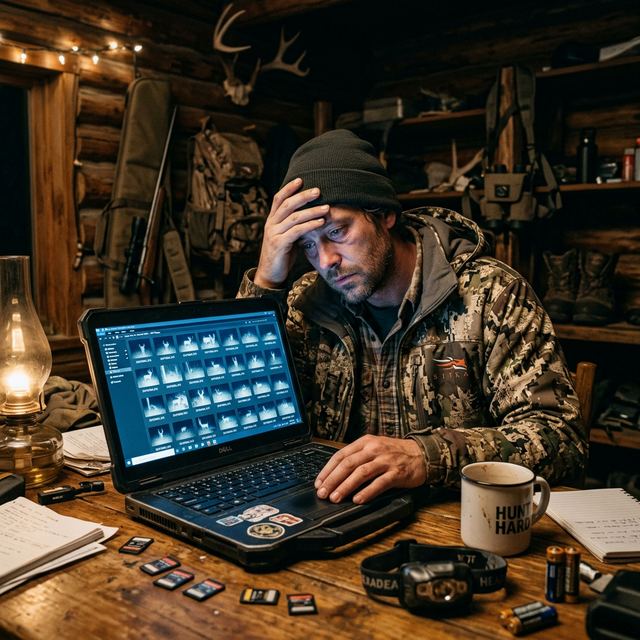
Managing Trail Camera Data: Destroy the Noise and Predict the Kill
Stop drowning in raccoon photos. Learn how to organize trail camera data, pattern mature bucks, and turn SD cards into actionable hunt plans.
It’s late August and 90°F. You pull SD cards from three cameras that soaked a mineral site and two primary trails for a month. Card one alone holds 4,200+ images. Three hours of arrow-key scrolling later, you’ve found three blurry frames of the mature buck you’ve chased for two years—buried under raccoons, squirrels, and wind-triggered empties.
That workflow doesn’t kill deer. It burns evenings and buries the signal. Managing trail camera data means building a system that turns raw photos into patterns you can hunt, not folders you never reopen.
Why Does Trail Camera Data Overwhelm Most Hunters?
Modern cams are too good at capturing everything. A single mineral site in July can generate 100–300+ images per night. Multiply by 8–15 cameras and you’re looking at tens of thousands of files before October.
Common failure modes:
- Hoarding: Keeping every raccoon “just in case”
- No naming system: Folders named
NEW,NEW2,Card_final_FINAL - No time context: Ignoring moon phase, temp, and wind on the good bucks
- Card-to-card amnesia: Reviewing one camera without comparing others the same night
The goal isn’t more photos. It’s fewer decisions with higher confidence.
How Should You Organize Cards, Folders, and Naming?
Build a structure before season starts—don’t invent it at midnight after a dump.
Recommended folder tree:
2025_Season/
  01_Mineral_NorthRidge/
  02_Scrapes_CreekBend/
  03_Food_Plot_East/
  04_Travel_Funnel_South/
  _Target_Bucks/
  _Delete_Queue/
File discipline:
- Dump each card into its camera folder the day you pull it.
- Rename the camera folder with date range:
CreekBend_0812-0910. - Move confirmed target-buck sequences into
_Target_Bucks/BuckName_YYYY-MM-DD_HHMM. - Delete or archive noise weekly—don’t wait until December.
Keep originals for 7–14 days if you use AI sorting, then purge blanks and non-deer. Disk space is cheap; attention isn’t.
What Filtering Rules Kill Noise Fastest?
Before you study anything, run a hard filter pass.
- Delete blanks and leaf triggers immediately.
- Tag species (deer / other / vehicle) if your software supports it.
- Separate daylight vs. night for mature bucks—daylight hits drive stand choices.
- Ignore bachelor fluff in July unless you’re inventorying antler growth; shift priority when velvet peels.
- Flag sequences, not single frames—a buck that walks through for 40 seconds is one event.
Practical triage time target: 20–40 minutes per card, not three hours. If a card takes longer, your filter rules aren’t strict enough.
Tools like Wildsnap help when volume explodes—species recognition and activity patterning beat manual raccoon scrolling. Pair that with smart placement from Trail Camera Placement During the Rut.
How Do You Build a Killable Pattern From Photos?
Photos become patterns when you answer four questions for each target buck:
- Where? Exact camera + direction of travel
- When? Time clustered within 30–60 minute windows
- Under what conditions? Temp band, wind direction, pressure trend
- How often? Frequency across 7–14 days—not one lucky night
Example pattern worth hunting:
- Buck hits Creek Bend scrape 3 of 5 evenings
- Window: 6:10–6:45 p.m.
- Wind: SW–W
- Temp: 48–58°F
- Direction: always traveling north toward the soybean edge
That is a sit plan. Three random midnight photos of him on different cams is not.
Log patterns in a simple sheet: date, cam, time, wind, temp, notes, daylight Y/N. Review weekly. For weather correlation habits that support this, see White-Tailed Deer Activity and Weather.
Cellular Cameras vs. SD Cards: What’s the Data Difference?
Cellular cams change the workflow:
- Pros: Real-time alerts, less intrusion, faster pattern detection
- Cons: Battery drain, data plans, temptation to overreact to every night photo
SD card cams:
- Pros: Cheaper, fewer signal issues, good for inventory sites
- Cons: Intrusion every 2–4 weeks, binge-review fatigue
Hybrid approach that works:
- Cellular on scrapes, funnels, and food edges you’ll hunt within 7–10 days
- SD cards on inventory minerals and remote sanctuaries you won’t bump
If you run cell cams, tighten settings so you’re not drowning in uploads—see Cellular Trail Cameras for Deer Hunting and Trail Camera Tech: Battery and Solar.
How Often Should You Pull Cards Without Spooking Deer?
Intrusion is a data tax.
| Season phase | Suggested pull interval | Notes |
|---|---|---|
| Summer inventory | 3–4 weeks | Midday, hot, high scent discipline |
| Early season | 10–14 days | Watch pressure near beds |
| Pre-rut / rut | Prefer cellular | Or pull only with rain approaching |
| Late season | 7–14 days | Food-source cams; don’t bump bedding |
Pull on midday high heat when possible. Wear gloves, approach from downwind of beds, and never linger. One sloppy card check can erase two weeks of clean patterning.
What Mistakes Turn Good Data Into Bad Decisions?
Avoid these pattern killers:
- Hunting last night’s midnight photo at dawn the next morning
- Abandoning a camera after one blank week during a heat wave
- Moving cams weekly—you never collect a baseline
- Ignoring does—doe timing often predicts buck daylight during the seeking phase
- Overweighting one cam—cross-check travel routes across two or three sites
Mature bucks are inconsistent by design. You’re looking for repeatable conditions, not perfect daily clocks.
How Do You Build a Weekly Data Review Ritual?
Treat camera review like a short staff meeting, not a binge.
Sunday 30-minute protocol (example):
- Import any new cellular highlights or SD dumps from the week.
- Update the target-buck sheet with daylight Y/N, wind, and temp.
- Rank stands for the next 7 days: A (hunt now), B (watch), C (rest).
- Delete or archive noise so next week starts clean.
- Note one intrusion you will not make (e.g., “no mineral check until rain”).
Hunters who review weekly kill more than hunters who review once in October with 30,000 files. Pattern recognition needs spaced repetition—your brain remembers last Tuesday’s 6:20 p.m. scrape hit better when you logged it Tuesday night.
If you’re drowning anyway, prioritize cameras within 200 yards of stands you’ll actually hunt this month. Inventory cams on remote sanctuaries can wait for a rainy midday when intrusion cost is lower.
Which Metrics Predict a Hunt Better Than “He’s Huge”?
Antler porn doesn’t fill tags. Track these instead:
| Metric | Why it matters | Hunt trigger example |
|---|---|---|
| Daylight frequency | Stand justification | 3+ daylight events in 10 days |
| Direction consistency | Ambush side | Always traveling N→S at scrape |
| Temp band | Clothing + timing | Moves when 44–55°F |
| Wind alignment | Stand choice | Appears on SW–W winds |
| Doe association | Rut timing | Solo in Oct; with does in Nov |
When three of five metrics line up for tomorrow’s forecast, go. When you only have “one blurry night photo,” glass or wait.
What Does a Hunt-Ready Camera Report Look Like?
Before you commit to a sit, compress the week into one paragraph you could text a hunting partner:
“10-point on Creek scrape: daylight 6:18–6:40 p.m. on 10/14, 10/16, 10/19. Traveling north. SW wind. 50–54°F. Does using same trail 20 minutes earlier. No daylight hits on east mineral.”
That paragraph is actionable. A folder of unsorted JPEGs is not. If you cannot write the paragraph, you do not have a pattern yet—keep collecting, or move a camera 40–70 yards to catch the missing direction of travel.
Train yourself to ignore one-off celebrities: the buck that appears once at 2:11 a.m. during a full moon. Celebrate repeatability. Mature bucks earn stands through redundancy, not surprise.
Also separate inventory goals from kill goals. July mineral cameras answer “what lives here?” October scrape cameras answer “what can I kill this week?” Mixing those missions is how you over-hunt a sanctuary that should have stayed quiet until November.
Frequently Asked Questions
How many trail cameras do I need to pattern a buck?
Quality beats quantity. Five well-placed cams with clean data beat fifteen neglected cams. Most serious hunters run 6–12 on a typical farm parcel.
Should I save every deer photo?
No. Keep inventory bucks, target sequences, and daylight movers. Archive or delete routine night does and non-targets after you’ve logged the event.
What’s the fastest way to review thousands of images?
Filter blanks first, then non-deer, then night-only noise. Use AI sorting when volume is high, then manually study only tagged deer events.
Can weather data really improve camera patterning?
Yes. Bucks often move on the front edge of pressure changes and in specific temp bands. Logging wind and temp next to timestamps turns anecdotes into hunt plans.
When should I stop checking cameras and just hunt?
Once you have a 7–14 day daylight pattern on a target, stop poking the area. Switch to hunting the pattern and let cellular updates (if any) confirm without intrusion.
Delete the noise, name the folders, log the conditions, and hunt the pattern—not the pile. Trail cameras earn their keep only when the data gets lighter and the decisions get sharper.
Turn your trail camera data into scouting intelligence
Wildsnap AI filters noise, recognizes species, and surfaces activity patterns from your own photos.
No credit card
Wildsnap • Open beta
Turn your trail camera data into scouting intelligence
Wildsnap AI filters noise, recognizes species, and surfaces activity patterns from your own photos.
No credit card